
In today’s cybersecurity landscape, the ability to detect and respond to threats across your entire digital estate—not just endpoints—is crucial. Microsoft XDR (Extended Detection and Response) is Microsoft’s cross-domain security solution designed to unify and streamline threat detection, investigation, and response across identities, endpoints, email, applications, and cloud platforms.
Instead of functioning independently, XDR consolidates data from various Microsoft security tools to deliver a unified, correlated, and automated threat response.
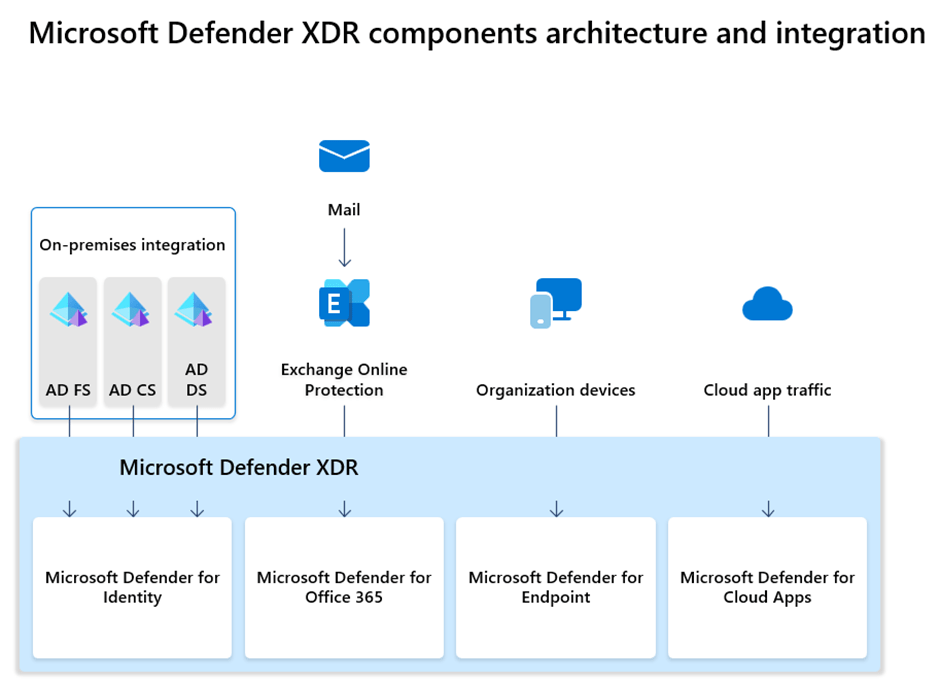
The image below highlights the key components of Microsoft Defender XDR.
Understanding the Functionality of XDR
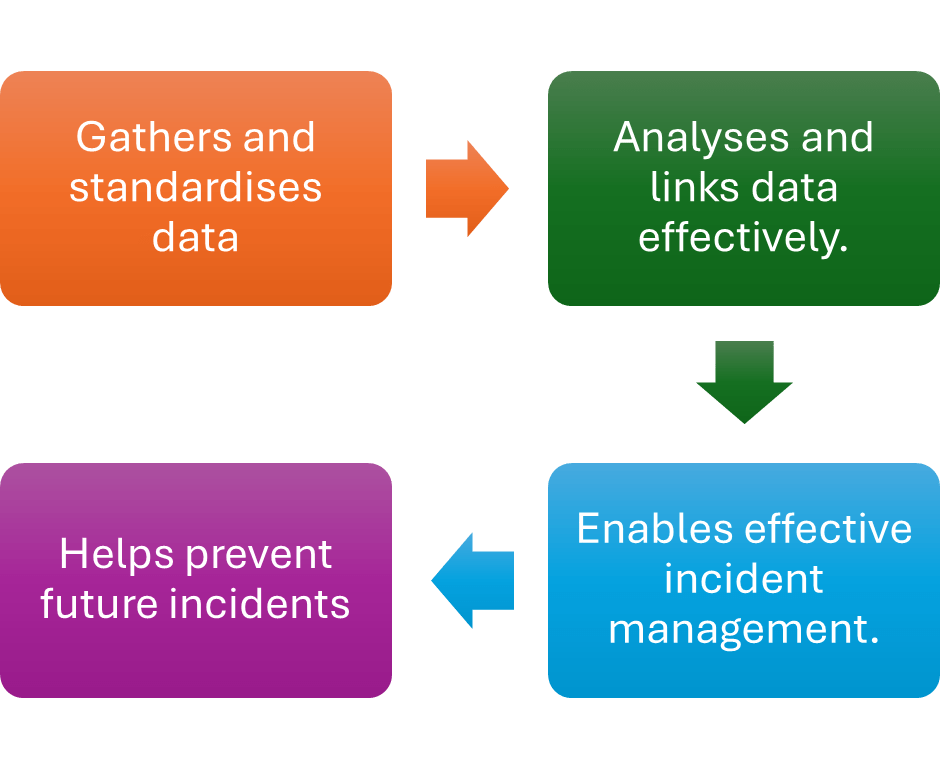
XDR uses AI and advanced analytics to monitor various areas across an organisation’s technology landscape, identify alerts, and link them into incidents, prioritising those that present the greatest risk.
The image below shows the high-level functionality of XDR.
The table below lists the details of the XDR functionalities.
| Sequence | Details |
| 1 | The system automatically collects telemetry data from various sources. It then cleans, organises, and standardises the data to ensure it remains consistent and of high quality for analysis. |
| 2 | The system utilises machine learning and other AI features to analyse data and automatically link alerts into incidents. It can analyse large data sets and identify cyberattacks and malicious activities in real time, functioning faster than security teams manually correlating alerts and addressing threats. |
| 3 | The system prioritises the severity of new incidents and provides more context, helping security personnel more quickly triage, then acknowledge and respond to the most critical cyber threats. |
| 4 | By analysing broad threat intelligence, many XDR systems can offer detailed cyberthreat insights tailored to your organisation’s unique environment. This includes understanding attacker techniques and suggested steps to protect against them. |
Items to review before implementation
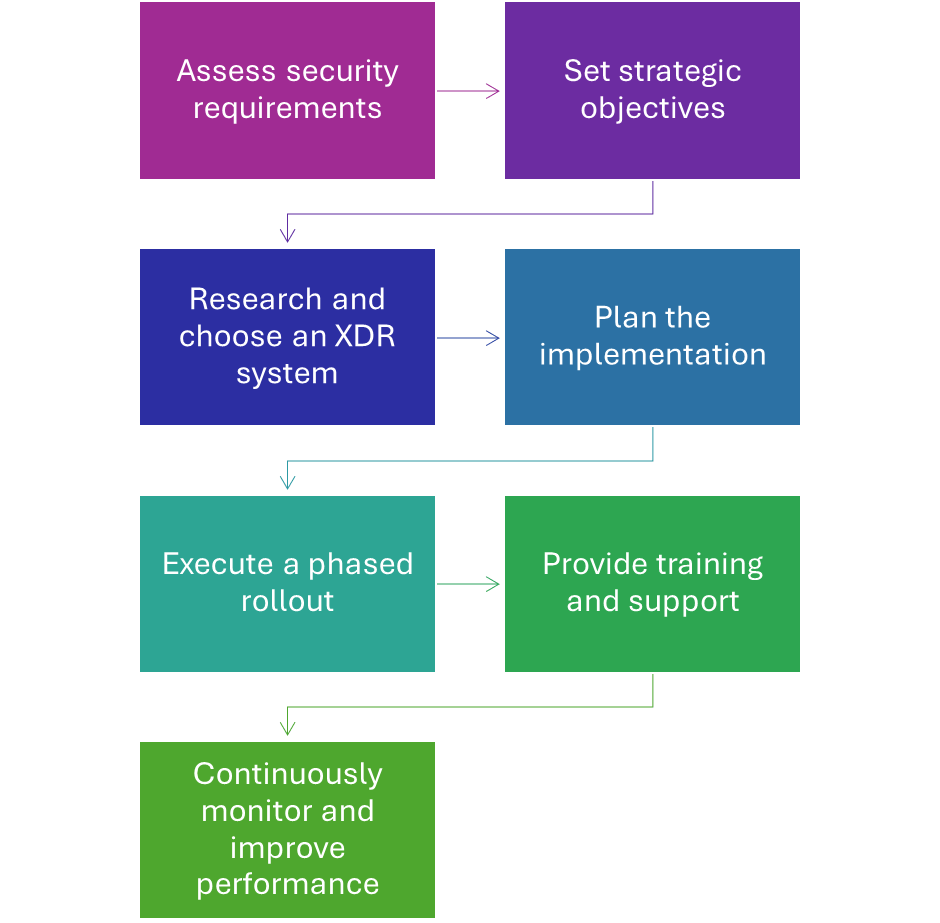
A successful XDR implementation can really enhance security and streamline operations across your enterprise. To get the most out of your XDR platform, it’s important to plan thoughtfully—starting with a clear strategy and regularly checking how well everything is working. Follow these simple steps to increase your chances of a smooth and successful XDR rollout.
The image below highlights some important items to think about before you get started with XDR solutions.
In the upcoming series, we’ll take a close look at each XDR component, exploring what it does, how it benefits you, important considerations, requirements, helpful best practices, and ways to implement it successfully.
 MVEUCTech
Leave a comment