
In some environments, it’s beneficial to hide Windows Security notifications from system tray to reduce distractions or streamline the user experience—especially when alternative security solutions are in place. In this section, we’ll look at how to implement this setting using Microsoft Intune. By configuring the appropriate policy, you can suppress Windows Security alerts while keeping the system protected and compliant in the background.
We will look on how to achieve the hide Windows Security Notification on Windows Devices through Microsoft Intune.
Configurations in Microsoft Intune
Sign in to the Microsoft Endpoint Manager admin center.
Go to Devices > Windows > Configuration Profiles.
On Windows Configuration Profiles window, select Create Profile.
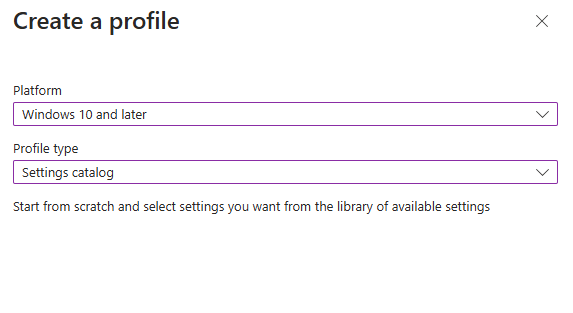
On the Create a Profile window, select Platform as Windows 10 and later. Select profile type as Settings catalog. Click Create.
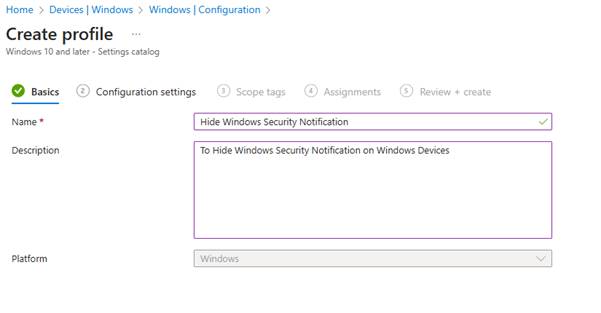
On the Basics tab, specify the name of the profile like Hide Windows Security Notification, and add a profile description. Click Next.
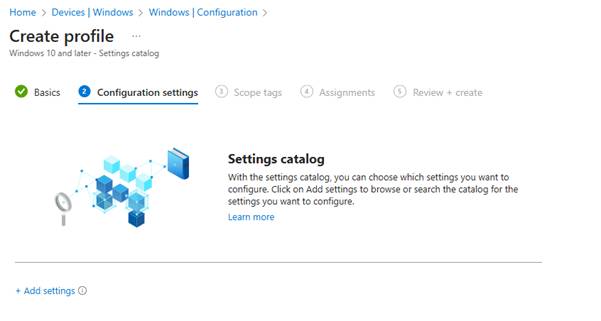
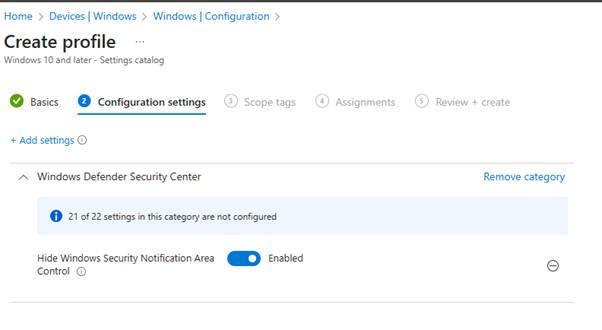
On the Configuration Settings section, under Settings Catalog, click Add Settings.
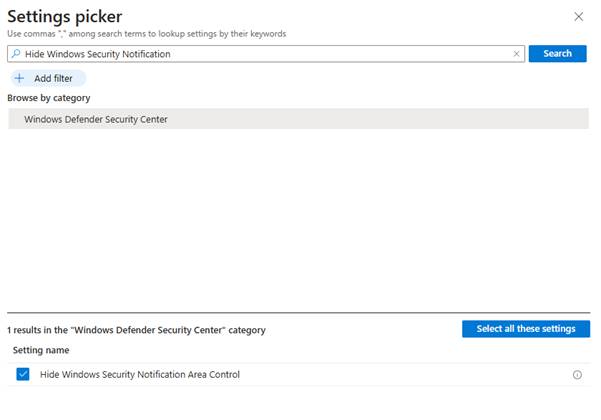
On the Settings picker window, type “Hide Windows Security Notification” in the search box and click Search. From the search results, select Windows Defender Security Center. Now select Hide Windows Security Notification Area Control setting.
To hide the Windows Security Notification, configure the setting as Enabled.
If you have specific scopes, select them; otherwise, leave it as Default in the scopes section and click Next.
In the Assignments window, choose the device group to target with this policy. Click Add groups and select a device group. Click Next.
In the Review + Create section, review all the settings configured and select Create.
Once policy created successfully, based on the device sync, these settings will be applied and that will Hide Windows Security Notification from system tray.



Leave a Reply